
Mirror Lake Reflection Nature Wallpaper

Mirror Lake Reflection Nature Wallpaper with Crystal Clear Water and Mountain Reflections

Resolution:

This wallpaper is available in 1440 × 3200 pixels resolution, delivering exceptional clarity and detail for high-quality displays.

About This Wallpaper:

Mirror Lake Reflection Nature Wallpaper

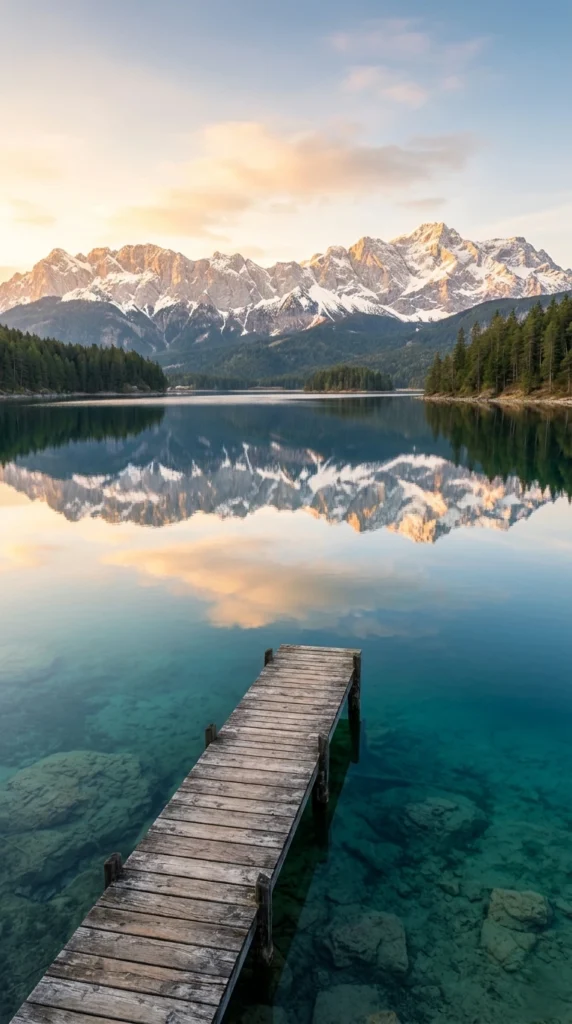
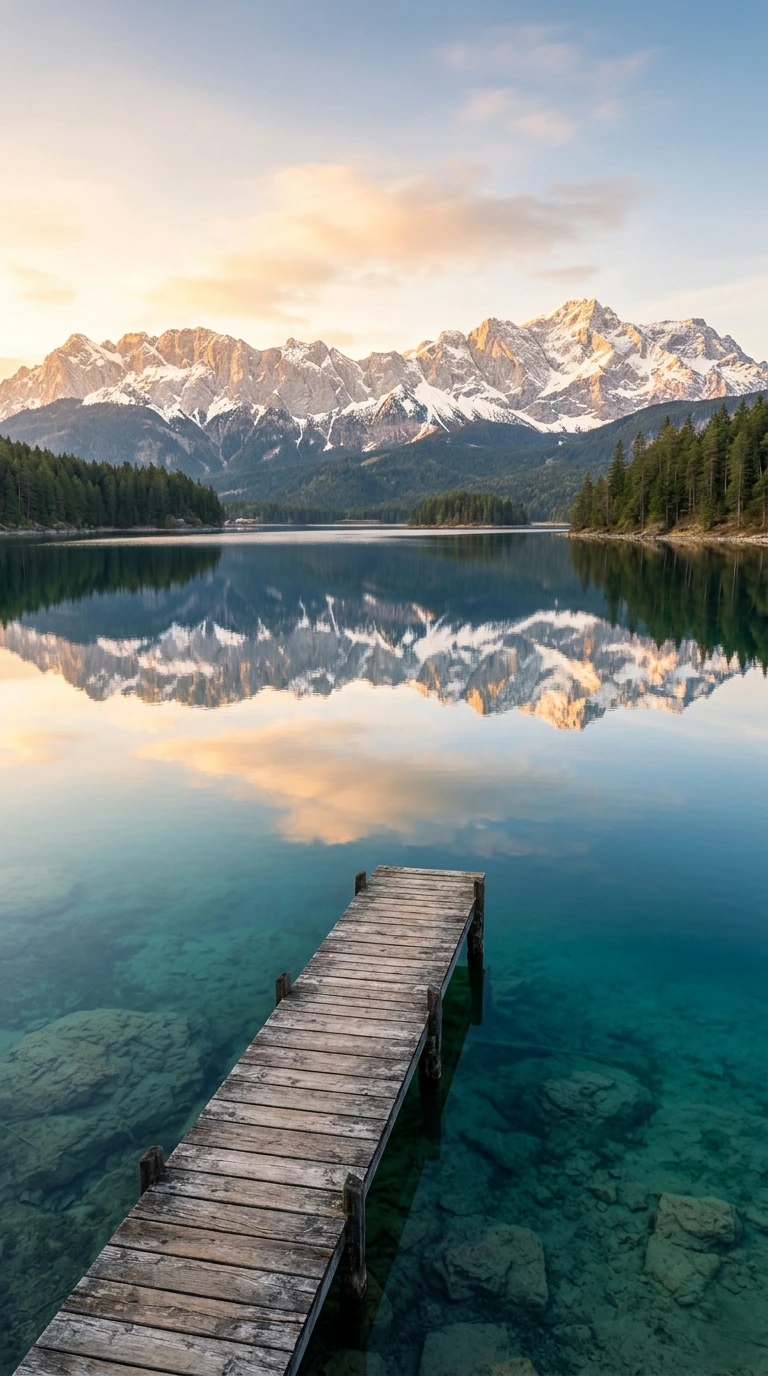
Few sights in nature feel as quietly powerful as a mountain lake so still it doubles the sky. The Mirror Lake Reflection Nature Wallpaper captures exactly that moment a frozen breath of stillness where snow-capped peaks, drifting clouds, and a weathered wooden dock all repeat themselves perfectly on the water’s surface. If you’re searching for a mobile wallpaper that turns your phone’s lock screen into a small daily escape, this is the kind of image worth pinning to the top of your list.

In this blog , we’ll walk through what makes this wallpaper so visually effective, why mirror lake photography has become one of the most searched nature aesthetics for phone backgrounds, and how to pick the right reflection wallpaper for your specific device and style. We’ll also answer the most common questions people have when shopping for high-resolution mobile wallpapers.

What Makes the Mirror Lake Reflection Nature Wallpaper So Captivating?

There’s a reason mirror-lake imagery shows up again and again in “most relaxing wallpapers” roundups, meditation apps, and minimalist phone setups: symmetry is naturally soothing to the human eye. When a landscape reflects itself with near-perfect clarity, the brain registers balance and order two things that are otherwise rare in chaotic, fast-scrolling digital environments.

This particular wallpaper leans fully into that effect. The crystal-clear lake water acts as a literal mirror, doubling the distant snow-covered mountain range so the composition reads almost like a Rorschach pattern built from nature itself. Above the waterline, jagged granite peaks dusted in white rise into a soft sky; below the waterline, that exact same skyline reappears in muted, rippled tones. The horizon line sits almost exactly in the middle of the frame, giving the entire image a sense of quiet equilibrium the moment your screen lights up.

A small wooden dock breaks the symmetry just enough to keep the eye engaged. Extending out into the still water, the dock adds a human touch and a sense of scale without it, the scene might feel sterile or abstract. With it, the wallpaper feels like an invitation: a place you could imagine standing, coffee in hand, watching the morning mist lift off the lake.

Designed Specifically for Mobile Screens

A lot of “4K nature wallpapers” floating around the internet are actually optimized for widescreen desktop monitors, which means they get awkwardly cropped, stretched, or letterboxed when applied to a phone. This Mirror Lake Reflection wallpaper is built with mobile aspect ratios in mind from the start, so the composition the peaks, the reflection, the dock stays properly centered and uncropped on tall, narrow phone displays.

That distinction matters more than most people realize. On a phone, your screen is divided into zones: the top third is often covered by the clock, date, and notification icons; the bottom third gets cut off by app icons or your lock screen’s quick-access buttons. A wallpaper composed for mobile keeps its most important visual details like that mountain-and-reflection symmetry sitting safely in the visible middle band of the screen, so nothing essential gets hidden behind your interface.

Color Palette and Mood

The color story here is deliberately restrained: cool blues and soft grays in the water, muted white and pale stone tones across the peaks, and a warm, earthy brown in the dock’s timber that keeps the whole image from feeling cold or clinical. This kind of palette pairs beautifully with most phone UI themes, light or dark, because it doesn’t compete with app icons or widgets for visual attention.

If you tend to gravitate toward “aesthetic” phone setups muted color schemes, minimal icon packs, soft widget designs this Mirror Lake Reflection Nature Wallpaper slots in naturally. It’s calming without being boring, and detailed without being busy, which is exactly the balance a good lock-screen image needs to strike.

Search interest in lake reflection wallpapers, mountain mirror images, and “calm nature backgrounds for phone” has grown steadily as more people use their lock screens as a kind of pocket-sized decompression tool. Picking up your phone dozens of times a day means your wallpaper is one of the most-viewed images in your life, often more frequently glimpsed than any photo on your wall at home.

Choosing a tranquil, nature-based scene over a busy graphic or a cluttered photo collage has a real, if subtle, effect on how a phone feels to use. A mirror lake scene in particular offers:

  • A sense of stillness that contrasts with the fast pace of notifications and apps
  • Visual symmetry that’s genuinely pleasant to look at dozens of times a day
  • A reminder of wilderness and open space, especially valuable for people living in dense urban environments
  • A neutral, universally appealing aesthetic that works whether your phone setup is minimalist, maximalist, light-mode, or dark-mode

Best Use Cases for This Wallpaper

This wallpaper performs particularly well in a few specific contexts. For lock screens, the wide negative space across the sky and lake gives plenty of room for clock widgets, weather displays, or notification previews without obstructing the dock or mountain detail. For home screens, the soft, low-contrast palette keeps app icons legible and avoids the visual noise that busier wallpapers can create behind a grid of icons.

It also works well as a “digital wellbeing” wallpaper many people deliberately set a calming nature scene as their lock screen specifically to create a small mental pause every time they unlock their phone, especially if they’re trying to reduce mindless scrolling or build a more intentional relationship with their device.

How to Set Mirror Lake Reflection Nature Wallpaper as Your Mobile Wallpaper?

Getting a high-quality wallpaper looking crisp on your device only takes a minute, but a few small steps make a noticeable difference in the final result.

First, always download the image at its native or highest available resolution rather than a thumbnail-sized preview; this avoids blurring or pixelation once it’s stretched across your screen. Second, when your phone’s settings ask how to crop or position the image, choose a centered fit rather than a “fill” or “stretch” option, since this preserves the reflection symmetry that makes the image work. Third, preview the wallpaper on both your lock screen and home screen before committing, because icon placement and widget positioning can shift how much of the dock or peaks remain visible. Finally, if your phone supports dynamic depth or parallax wallpapers, test whether the still version or the subtly animated version looks better with your specific device’s display.

Pairing Mirror Lake Reflection Nature Wallpaper With Your Phone’s Aesthetic

If you’re building out a broader phone aesthetic coordinated app icons, matching widgets, a cohesive color scheme across your lock screen and home screen this mirror lake image is flexible enough to anchor several different styles. For a cool-toned, modern minimalist setup, let the blues and grays in the water lead your palette and choose icon packs in similar muted tones. For a warmer, cabin-core or “wilderness journal” aesthetic, pull from the dock’s wood tones and pair the wallpaper with earthy, textured icon sets. For a high-contrast, dark-mode setup, the wallpaper’s natural tonal range still reads clearly against black UI elements, since the dark reflection in the lower half of the image blends smoothly with a dark-themed interface.

Caring for Your Wallpaper Collection

If nature wallpapers like this one are part of a growing personal collection, it’s worth organizing them by mood, color palette, or season rather than just by file name. Many people keep a rotating set, swapping in a snow-covered mirror lake during winter months and a sunlit dock scene during summer, which keeps the phone feeling fresh without losing the calming, nature-forward theme. Storing original high-resolution files separately from a “currently in use” folder also protects against quality loss if your phone ever needs to resize or recompress images for storage efficiency.

Final Thoughts

The Mirror Lake Reflection Nature Wallpaper succeeds because it does something deceptively simple extremely well: it shows a moment of perfect natural balance and lets your phone screen sit inside that stillness every time you glance at it. Between the symmetrical mountain reflection, the quiet wooden dock, and a color palette built for calm rather than chaos, it’s a wallpaper that rewards repeated viewing rather than losing impact after the first week. Whether you’re refreshing a single lock screen or curating an entire nature-themed wallpaper rotation, this image earns its place as a genuinely restful piece of mobile design. This type of aesthetic wallpaper is widely searched on Pinterest.

Frequently Asked Questions

Is this wallpaper suitable for all phone screen sizes? Yes. The composition is built around a centered, vertically-oriented layout, which adapts well across the range of tall aspect ratios used by most modern smartphones, from compact phones to larger flagship displays.

Will the image look blurry or pixelated on a high-resolution display? Not if you download the full-resolution version rather than a compressed preview. High pixel-density phone screens reveal compression artifacts quickly, so always choose the highest-quality file available before setting it as your wallpaper.

Does this wallpaper work well with a dark mode interface? Yes. The lower half of the image, where the reflection darkens slightly, blends naturally with dark-themed icons and widgets, while the lighter sky in the upper half still keeps the image visually balanced.

Can I use this as both my lock screen and home screen wallpaper? Absolutely. Many people use the same image across both screens for a cohesive look, though some prefer reserving the full, uncropped reflection for the lock screen and using a tighter crop focused on the dock for the home screen, where icons cover more of the frame.

Why do mirror lake wallpapers feel more calming than other nature scenes? Symmetry plays a significant role. A reflective lake essentially doubles the landscape into a mirrored, balanced composition, which the eye processes as orderly and restful compared to asymmetrical or visually “busy” scenes.

What’s the best way to keep this wallpaper looking sharp over time? Avoid repeatedly saving and re-saving the image through messaging apps or social media, since each transfer can recompress the file. Keep one original high-resolution copy stored safely, and set your wallpaper directly from that file.

Is this wallpaper a photograph or a digital illustration? It’s designed to capture a photorealistic mountain lake scene, with clean composition and detailed lighting that gives it the look and feel of a real landscape photograph rather than a stylized graphic.

How often should I change my phone wallpaper? There’s no fixed rule, but many people rotate nature wallpapers seasonally or whenever their current background starts to feel visually “stale.” A wallpaper this detailed tends to hold up well over longer stretches of time precisely because of its calming, non-distracting composition.

Leave a Comment

Your email address will not be published. Required fields are marked *

Scroll to Top